Stop Checking Drawings Manually
Upload two versions of your PDF drawings and see every change detected in seconds — additions, deletions, and modifications highlighted automatically.
Version 1 (Old)
Drag & drop PDF or ZIP files
Version 2 (New)
Drag & drop PDF or ZIP files
See Changes at a Glance
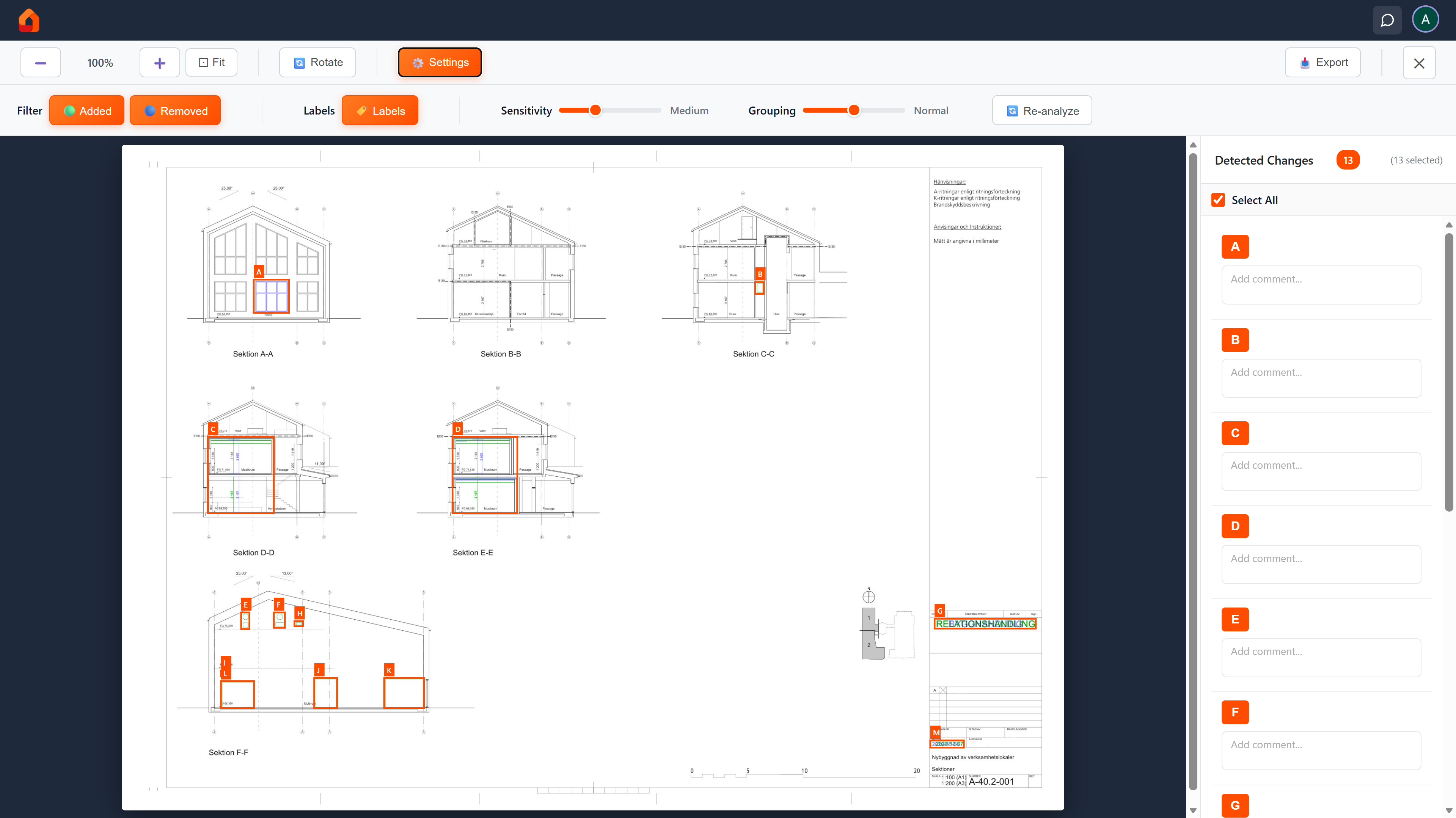
Additions in green, deletions in blue — every difference highlighted on your drawing.
How does it work?
Upload
Upload version 1 and version 2 of your drawings
Analyze
Our system compares and detects all changes
View changes
Review detected changes in viewer
Choose & comment
Select changes and add comments
Export PDF
Download annotated PDF with all changes
Why Choose PDFverifier?
Automatic Detection
Our algorithm detects changes automatically - additions, deletions, and modifications.
Made for Drawings
Optimized for technical drawings, CAD exports, and architectural plans.
Batch Processing
Upload ZIP files with multiple drawings. We match files automatically.
Export Results
Download annotated PDFs with all changes marked and comments.
Used by engineers, architects, and project managers for revision control of CAD drawings, architectural plans, and technical documentation.
Frequently Asked Questions
How does PDFverifier compare PDF drawings?
PDFverifier uses pixel-level analysis to detect visual differences between two versions of a drawing. Upload the old and new version, and our algorithm automatically identifies additions, deletions, and modifications — highlighted directly on the drawing.
What types of drawings does it work with?
PDFverifier works with any PDF drawing — including CAD exports (AutoCAD, Revit, SolidWorks), architectural plans, electrical schematics, P&ID diagrams, and other technical documentation. Any PDF with visual content can be compared.
Can I compare multiple drawings at once?
Yes! Upload ZIP files containing multiple drawings and PDFverifier automatically matches files between versions by name. You can analyze an entire drawing set in one batch and export all results as a combined PDF or ZIP.
How accurate is the change detection?
PDFverifier detects pixel-level changes with adjustable sensitivity. You can fine-tune detection settings for each drawing. While highly accurate, we recommend using it as a review aid alongside professional verification for critical documents.
Is my data secure?
All uploads are encrypted via HTTPS and stored on EU-based servers (Germany). Files are automatically deleted after your session expires (7 days for free, 30 days for paid). We never share your documents with third parties.
Do I need to install any software?
No. PDFverifier runs entirely in your web browser — no downloads, plugins, or installations needed. Just upload your PDFs and get results instantly. Works on any modern browser (Chrome, Firefox, Safari, Edge).
How much does it cost?
You get 2 free drawing previews per day. After that, you can pay per drawing ($1.90 each with bulk discounts) or subscribe to Pro ($19/month for 50 drawings). Pro also includes 90-day session history and priority support.